# Attendance

Cloudnotte allows administrators to automate attendance tracking by providing digital attendance  registers. It can automatically generate notifications to alert administrators, teachers, parents, and students about-related matters.

<figure><img src="https://3775903134-files.gitbook.io/~/files/v0/b/gitbook-x-prod.appspot.com/o/spaces%2F-M5g0GGFpfhvySUx2WRT%2Fuploads%2FPnPlEtKt83aI6PLDIUvP%2FScreenshot%202024-04-12%20100932.png?alt=media&#x26;token=b99cc69f-06c1-4692-9cad-efb6f9e27982" alt=""><figcaption><p>Overview of Attendance Module</p></figcaption></figure>

<figure><img src="https://3775903134-files.gitbook.io/~/files/v0/b/gitbook-x-prod.appspot.com/o/spaces%2F-M5g0GGFpfhvySUx2WRT%2Fuploads%2FyFZ5dDq1SXFDgRB3E26c%2FScreenshot%202024-04-12%20095458.png?alt=media&#x26;token=e08e3116-3915-4b4f-9afe-47d23f24ed68" alt=""><figcaption></figcaption></figure>

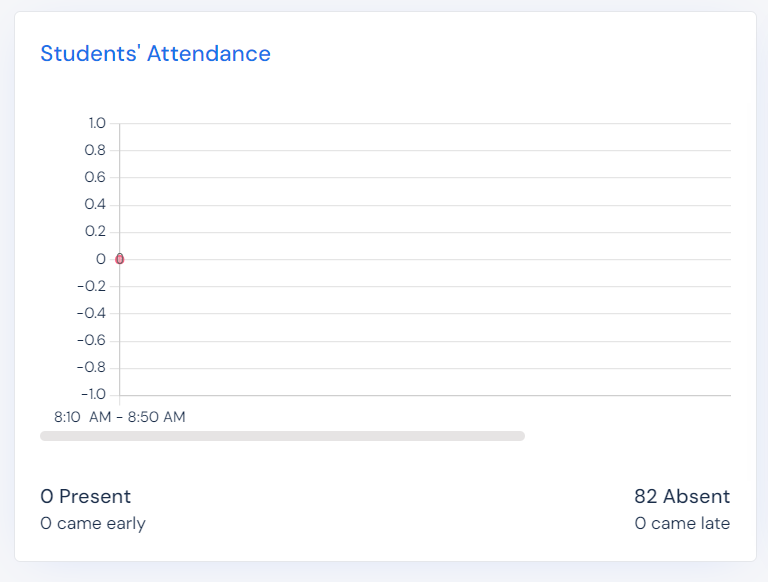
This card shows the statistics of Students' attendance.

<figure><img src="https://3775903134-files.gitbook.io/~/files/v0/b/gitbook-x-prod.appspot.com/o/spaces%2F-M5g0GGFpfhvySUx2WRT%2Fuploads%2FF7xPGNUmmp0i6W4ACG44%2FScreenshot%202024-04-12%20095512.png?alt=media&#x26;token=75421f2a-f329-489f-8f9c-9129d40f8800" alt=""><figcaption></figcaption></figure>

This card shows the statistics of Staff' attendance.

<figure><img src="https://3775903134-files.gitbook.io/~/files/v0/b/gitbook-x-prod.appspot.com/o/spaces%2F-M5g0GGFpfhvySUx2WRT%2Fuploads%2F49MDilrSoSYcilW5kXcb%2FScreenshot%202024-04-12%20095655.png?alt=media&#x26;token=2b6c0661-ccf0-4f80-a326-700afd088613" alt=""><figcaption></figcaption></figure>

You can download the above app, by clicking "Download Now".

<figure><img src="https://3775903134-files.gitbook.io/~/files/v0/b/gitbook-x-prod.appspot.com/o/spaces%2F-M5g0GGFpfhvySUx2WRT%2Fuploads%2Ftlt2Qkrq341NdmsSoRgx%2FScreenshot%202024-04-12%20095746.png?alt=media&#x26;token=3eeb977e-0236-4700-8dbd-8f8d69df3404" alt=""><figcaption></figcaption></figure>

To assign an attendance card, Click "Assign attendance card". It is located at the top right of the Attendance module.

<figure><img src="https://3775903134-files.gitbook.io/~/files/v0/b/gitbook-x-prod.appspot.com/o/spaces%2F-M5g0GGFpfhvySUx2WRT%2Fuploads%2FhlrBXmgFfLsU3b0lYJQk%2FScreenshot%202024-04-12%20095716.png?alt=media&#x26;token=f7f6ba53-8b48-431e-b8ca-d005df0b5a49" alt=""><figcaption></figcaption></figure>

Fill the form with the appropriate information, then click "Assign".

<figure><img src="https://3775903134-files.gitbook.io/~/files/v0/b/gitbook-x-prod.appspot.com/o/spaces%2F-M5g0GGFpfhvySUx2WRT%2Fuploads%2FPrCj5qo3kNG4je4w6JcM%2FScreenshot%202024-04-12%20095753.png?alt=media&#x26;token=22350f61-9e63-49f0-bbee-a4205b07e999" alt=""><figcaption></figcaption></figure>

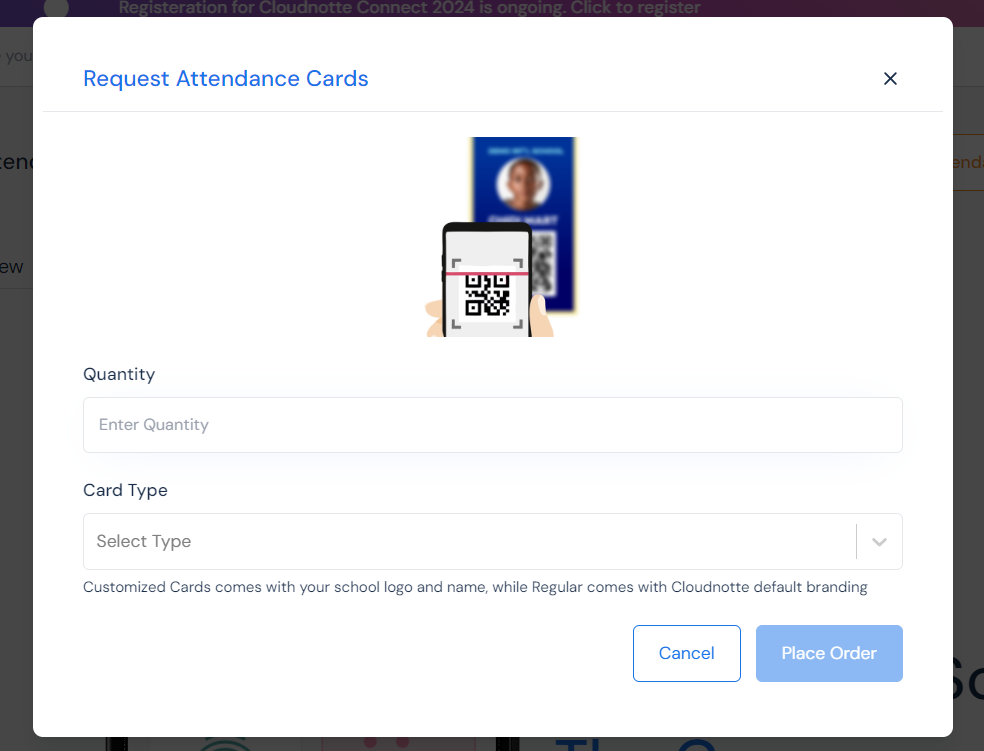
To request an attendance card, Click "Request Attendance Card". It is located at the top right of the Attendance module,  just beside "Assign attendance card".&#x20;

<figure><img src="https://3775903134-files.gitbook.io/~/files/v0/b/gitbook-x-prod.appspot.com/o/spaces%2F-M5g0GGFpfhvySUx2WRT%2Fuploads%2FNZzGqRB08K8EI5q03Sw0%2FScreenshot%202024-04-12%20095737.png?alt=media&#x26;token=c073c98a-9c51-40d9-beaa-d9d935d75385" alt=""><figcaption></figcaption></figure>

Fill the form with the appropriate information, then click "Place Order".