# Child safety pickup

Cloudnotte provides features and importance in child safety pickup. It authorizes pick up lists which allows school management to maintain an authorized pickup lists for each student, specifying the individuals who are permitted to pick up the students from school.&#x20;

<figure><img src="https://3775903134-files.gitbook.io/~/files/v0/b/gitbook-x-prod.appspot.com/o/spaces%2F-M5g0GGFpfhvySUx2WRT%2Fuploads%2FvUVQQTzGzOnB707RDuaK%2FScreenshot%202024-04-16%20092000.png?alt=media&#x26;token=f8cc010a-9ef8-457d-a59d-4d687a2329ca" alt=""><figcaption><p>Overview of child safety pickup module</p></figcaption></figure>

<figure><img src="https://3775903134-files.gitbook.io/~/files/v0/b/gitbook-x-prod.appspot.com/o/spaces%2F-M5g0GGFpfhvySUx2WRT%2Fuploads%2FdIxdDgAWipZz1JhLRa5A%2FScreenshot%202024-04-16%20092008.png?alt=media&#x26;token=3271ef12-296d-4c09-8e56-ffbb96a91fc6" alt=""><figcaption></figcaption></figure>

This card shows the number of students that have been picked up.

<figure><img src="https://3775903134-files.gitbook.io/~/files/v0/b/gitbook-x-prod.appspot.com/o/spaces%2F-M5g0GGFpfhvySUx2WRT%2Fuploads%2FIAOe69ecYI46bYNerbTW%2FScreenshot%202024-04-16%20092018.png?alt=media&#x26;token=7f57b1bc-2042-4339-9870-a6ace406f596" alt=""><figcaption></figcaption></figure>

This card shows the number of pickup persons.

<figure><img src="https://3775903134-files.gitbook.io/~/files/v0/b/gitbook-x-prod.appspot.com/o/spaces%2F-M5g0GGFpfhvySUx2WRT%2Fuploads%2F7wIES53ppPdJSbnZGs9Y%2FScreenshot%202024-04-16%20092026.png?alt=media&#x26;token=35fbfa69-23af-4dbc-b3f7-ff1123c0f39b" alt=""><figcaption></figcaption></figure>

This card shows the number of students using module.

<figure><img src="https://3775903134-files.gitbook.io/~/files/v0/b/gitbook-x-prod.appspot.com/o/spaces%2F-M5g0GGFpfhvySUx2WRT%2Fuploads%2FDItIIG6mGN6GQI6APGS3%2FScreenshot%202024-04-16%20092043.png?alt=media&#x26;token=3c6596a6-7398-4e6d-827d-cb52da33a87a" alt=""><figcaption></figcaption></figure>

This is the "Pickup Groups" section.

<figure><img src="https://3775903134-files.gitbook.io/~/files/v0/b/gitbook-x-prod.appspot.com/o/spaces%2F-M5g0GGFpfhvySUx2WRT%2Fuploads%2FN3GQ1pSf0tVZmsMYGAjI%2FScreenshot%202024-04-16%20092108.png?alt=media&#x26;token=0820f6c0-7820-41bd-9352-95df6904ce3b" alt=""><figcaption></figcaption></figure>

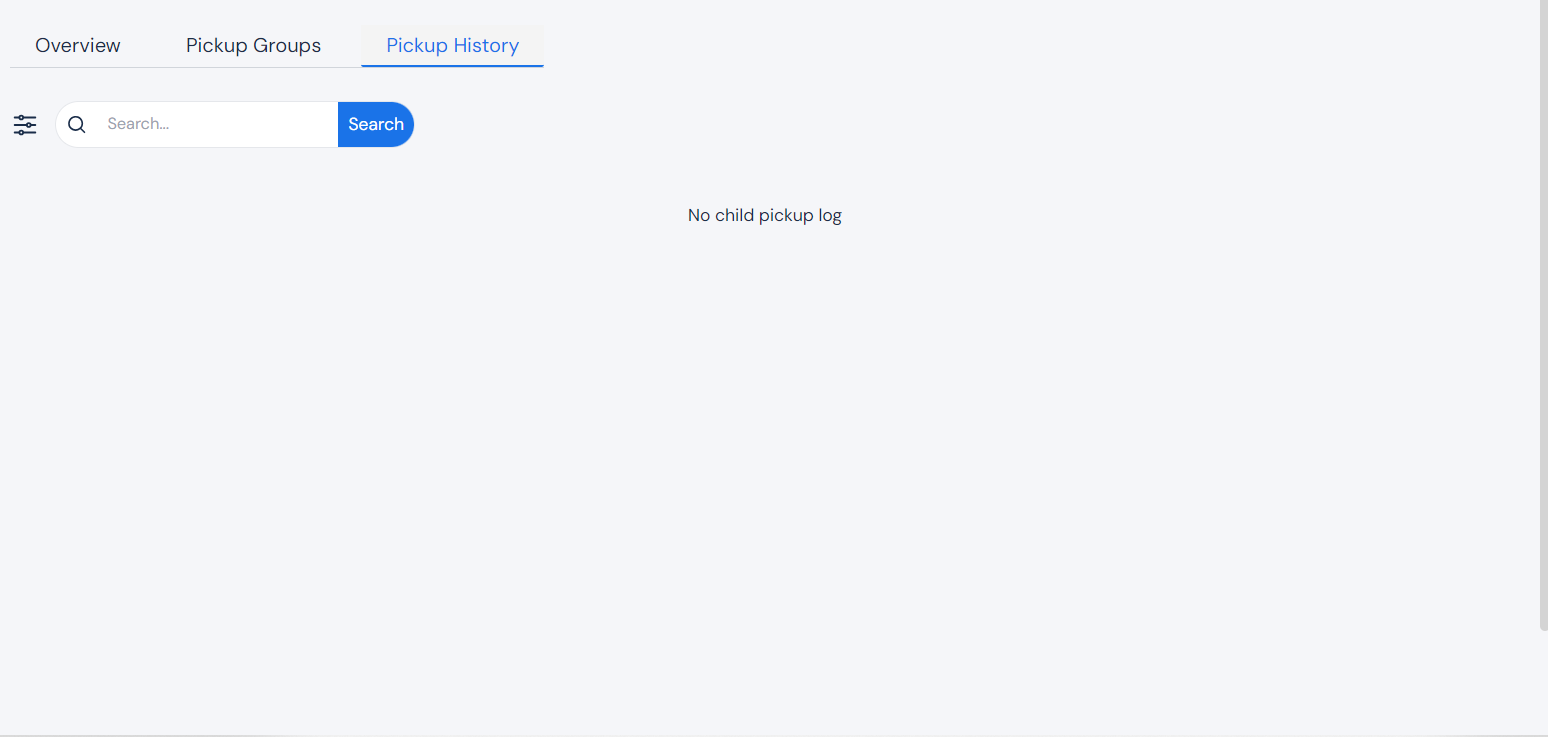
This is the "pickup History" section.

In this section, you can see history and logs of all children who have been picked up, and who picked them up.

<figure><img src="https://3775903134-files.gitbook.io/~/files/v0/b/gitbook-x-prod.appspot.com/o/spaces%2F-M5g0GGFpfhvySUx2WRT%2Fuploads%2F3lhVrxXYUp1YTRbhee7j%2FScreenshot%202024-04-16%20104108.png?alt=media&#x26;token=f73f60f5-3309-48f0-b6ff-0f4fa6f382eb" alt=""><figcaption></figcaption></figure>

To add a pickup group, click on this. It is located at the top right of the page.

<figure><img src="https://3775903134-files.gitbook.io/~/files/v0/b/gitbook-x-prod.appspot.com/o/spaces%2F-M5g0GGFpfhvySUx2WRT%2Fuploads%2FJJmqNvoHxPUHMPKVPfkg%2FScreenshot%202024-04-16%20104116.png?alt=media&#x26;token=7ad555f0-197f-46c0-9c6b-5b60aa98aa94" alt=""><figcaption></figcaption></figure>

Once you click "Add pickup group", the form above shows up on your screen. Fill it with the appropriate information, and click "Create Pickup Group", which is at the bottom right of the form.

<figure><img src="https://3775903134-files.gitbook.io/~/files/v0/b/gitbook-x-prod.appspot.com/o/spaces%2F-M5g0GGFpfhvySUx2WRT%2Fuploads%2Ft6ZAyvMNmVKUcHjebsbh%2FScreenshot%202024-04-16%20104126.png?alt=media&#x26;token=de8a669f-766d-4ee0-a80b-0093d1ca0a81" alt=""><figcaption></figcaption></figure>

To assign card, click on this. It is located at the top right of the page, just beside "Add Pickup Group".

<figure><img src="https://3775903134-files.gitbook.io/~/files/v0/b/gitbook-x-prod.appspot.com/o/spaces%2F-M5g0GGFpfhvySUx2WRT%2Fuploads%2FykdPQvldvTWnAv5wzGgS%2FScreenshot%202024-04-16%20104137.png?alt=media&#x26;token=8af8858b-4df6-4ebd-a541-f09ffc4fe58c" alt=""><figcaption></figcaption></figure>

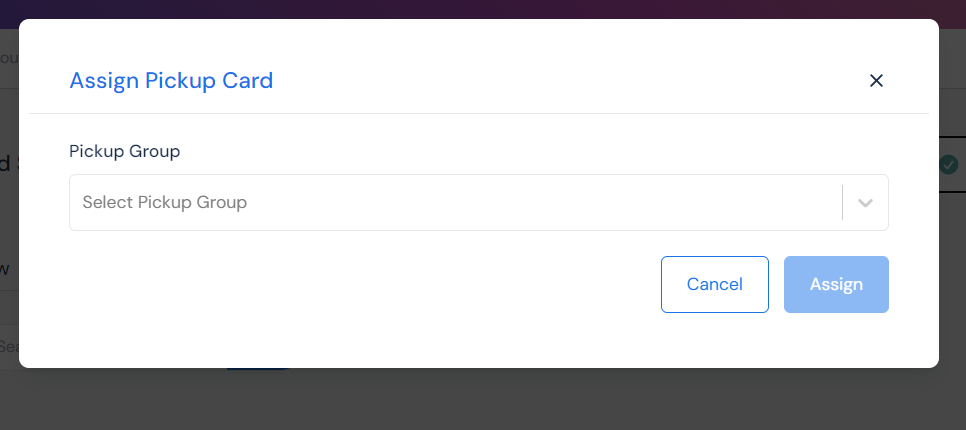
Once you click "Assign Pickup Card", this form shows up on your screen.

Fill it with the appropriate information and, click "Assign".

<figure><img src="https://3775903134-files.gitbook.io/~/files/v0/b/gitbook-x-prod.appspot.com/o/spaces%2F-M5g0GGFpfhvySUx2WRT%2Fuploads%2FIIaqJnRTlOO8FppqgRr4%2FScreenshot%202024-04-16%20104154.png?alt=media&#x26;token=790fd545-35c3-4dfe-a36f-fa2b5d0a4d08" alt=""><figcaption></figcaption></figure>

To request pickup cards, click on this. It is located at the top right of the page, just beside "Assign Card".

<figure><img src="https://3775903134-files.gitbook.io/~/files/v0/b/gitbook-x-prod.appspot.com/o/spaces%2F-M5g0GGFpfhvySUx2WRT%2Fuploads%2FKgBiRIz7w6PThSCS54NV%2FScreenshot%202024-04-16%20104202.png?alt=media&#x26;token=8a728426-ae2c-4e08-abb8-e54c7506c957" alt=""><figcaption></figcaption></figure>

Once you click "Request pickup cards", this form shows up on your screen.&#x20;

Fill it with he appropriate information, and click "Place Order".