> For the complete documentation index, see [llms.txt](https://docs.cloudnotte.com/llms.txt). Markdown versions of documentation pages are available by appending `.md` to page URLs; this page is available as [Markdown](https://docs.cloudnotte.com/admin/users/assign-parents-to-students.md).
# Assign parents to students
Assigning a parent to a student is linking a parent or guardian to a specific student in your school.
User Management Features
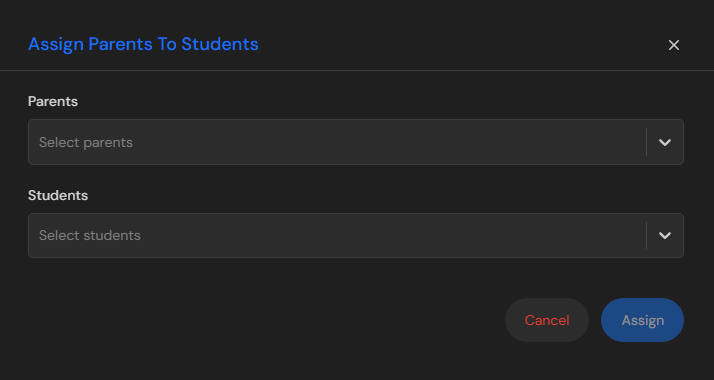
Click on the Assign Parents To Students button to assign a particular parent/guardian to a student or child.
Assign Parents To Student Button
In this modal, you'll need to select a particular parent/guardian to his/her child(student). Then after assigning a parent/guardian to a student click on the assign button and it automatically assigns a parent to a student.
Note:\
If you encountered error while assigning a parent to a student , you should check for the following:\
1\. Ensure your internet connection is active\
2\. Ensure you input the right parent for each student.
If the issue persist you can contact support: [hello@meghee.com](mail:hello@meghee.com)